Pulseboard

Health stats dashboard
iOS app · Apple Health
A customisable dashboard of Apple Health stats and charts, with daily goals and widgets, computed entirely on the phone.
The problem
The Health app doesn’t put figures like weekly average steps, this month’s resting heart rate or workouts per week on one screen. Pulseboard is for iPhone and Apple Watch owners who want those numbers in one place: any metric, any period, any statistic.
What I built
Stat and chart cards built from 26 HealthKit metrics. Each picks a period, from today to the last 12 months, and a statistic: total, daily, weekly or monthly average, highest or lowest day, or latest. Every card compares with the previous period cut off at the same point — this week so far against last week up to the same weekday and hour.
Daily goals with streaks and a morning check-in on yesterday; Home Screen and Lock Screen widgets and a Control Center control; and, in 1.1, water logged to Health from the app, a widget, Siri or a reminder.
A HealthKit permission request made during a background launch can’t show its sheet, and blocks every later request until the phone restarts. I traced it from device logs: the app now asks only while it’s on screen, and concurrent callers share one request. Sleep from iPhone and Apple Watch is merged so overlaps aren’t counted twice, and comparisons are skipped when the history doesn’t reach back far enough — no false “+600%”.
What came out of it
Version 1.1 is in App Review. Health data never leaves the phone: no account, no server, no analytics, and the App Store privacy label is “Data Not Collected”.
Screens
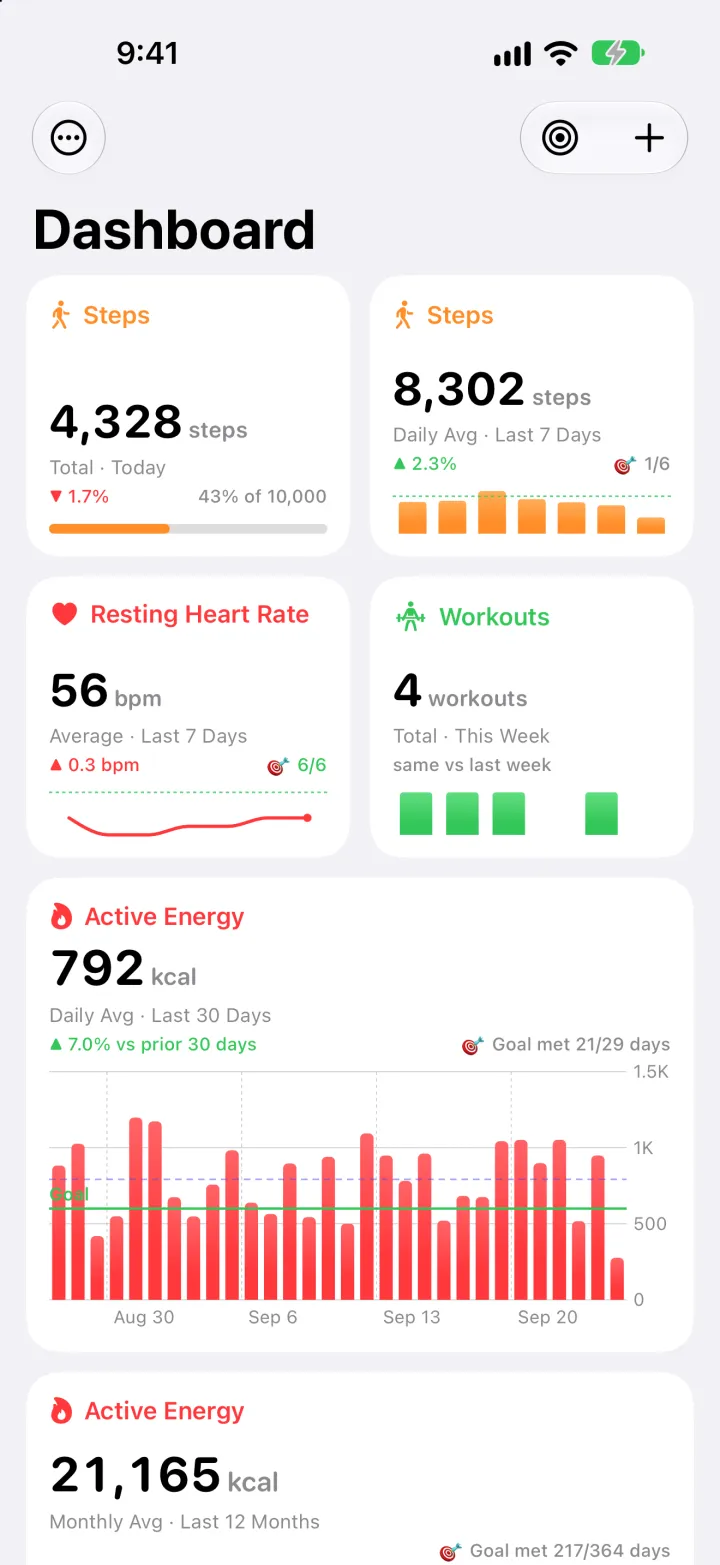
Dashboard: steps today against the goal, the 7-day step average, resting heart rate, workouts this week and a 30-day active energy chart 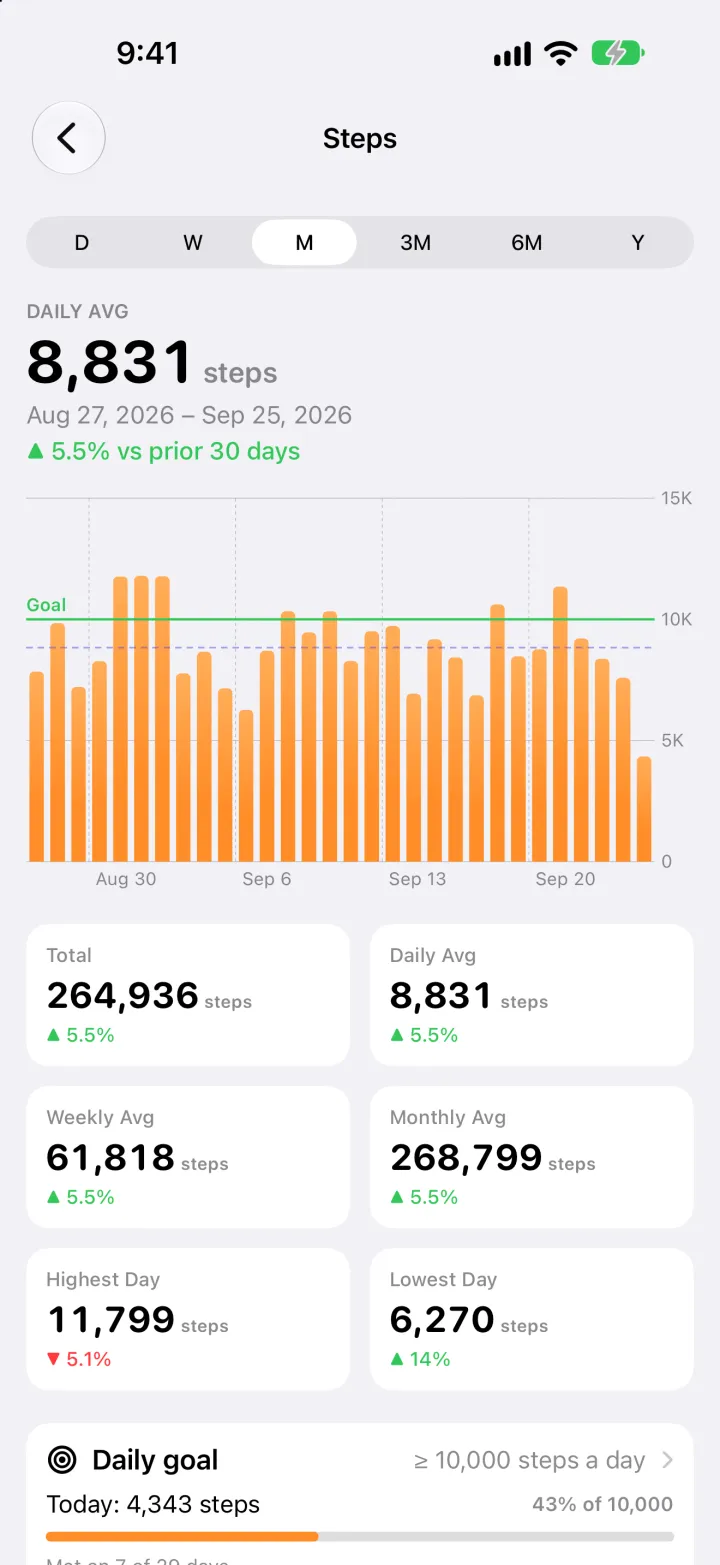
Steps detail: a 30-day chart with the goal line, and total, averages and highest and lowest day compared with the previous 30 days 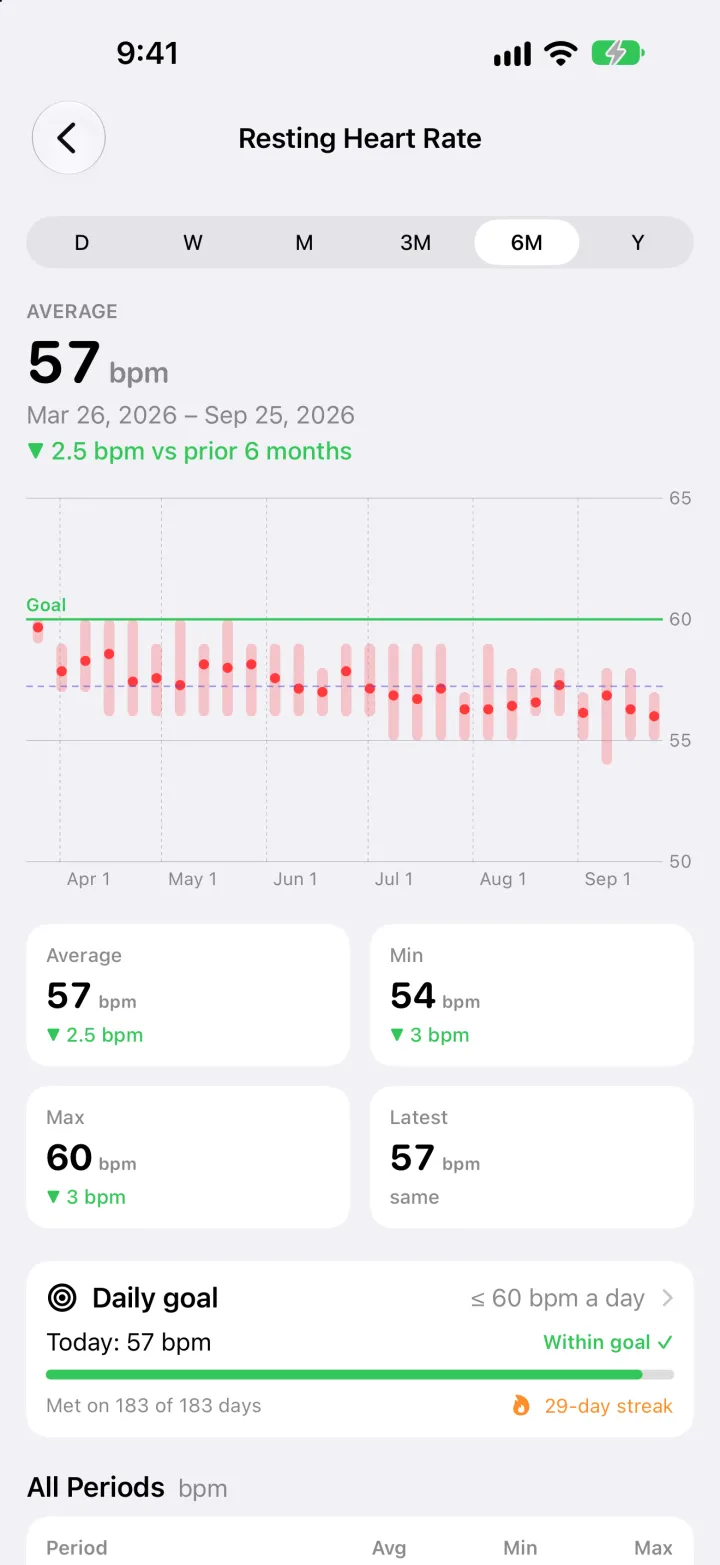
Resting heart rate detail: six months of averages with each period’s range, plus average, minimum, maximum and latest 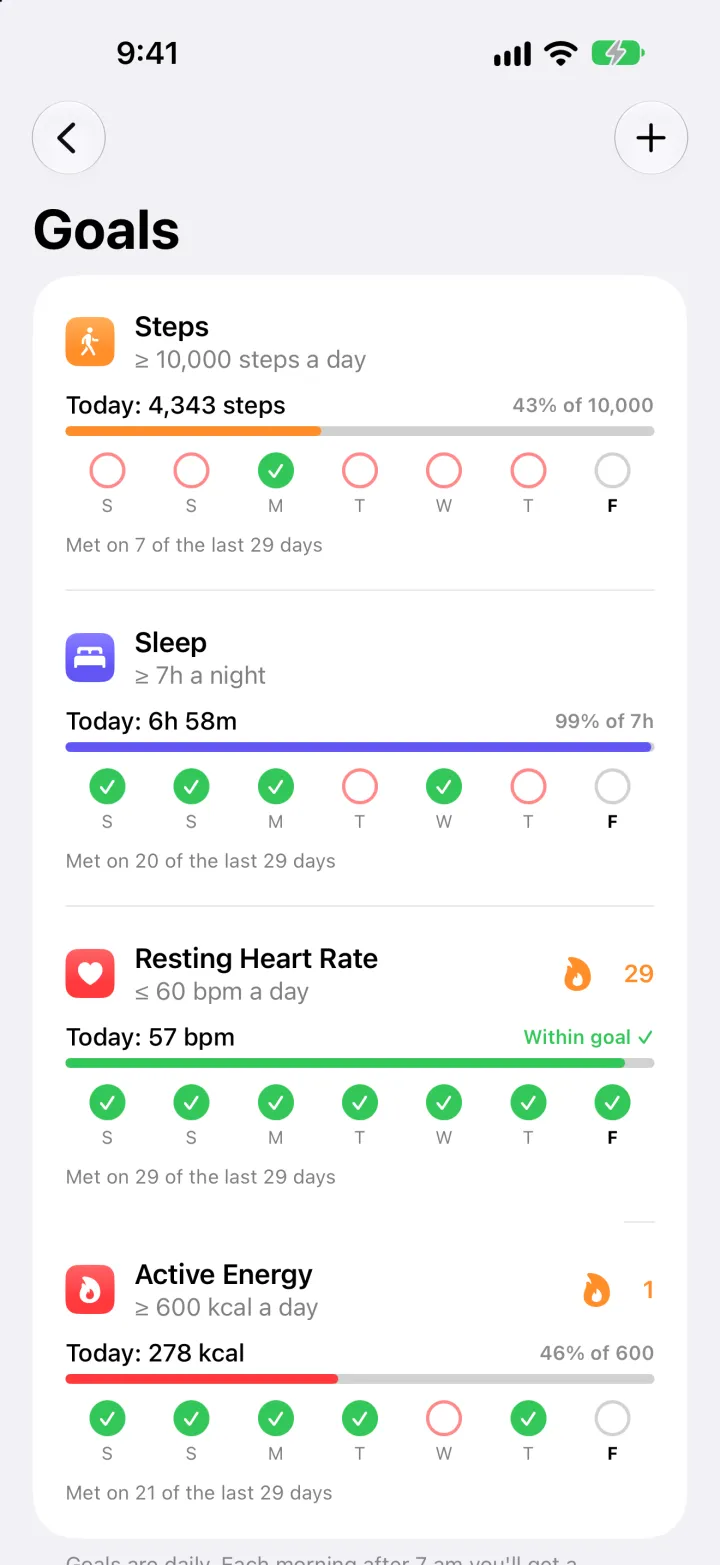
Goals: steps, sleep, resting heart rate and active energy, each with today’s progress, a 7-day check row and its streak
Something like this? Send a brief