LoveLapse

Favourites into reels
iOS app · on-device video
An iPhone app that turns your Apple Photos favourites into grouped Moments, short video Reels, Stories and collages, all made on the phone.
The problem
The photos people heart in Apple Photos stay mixed into one big library and rarely get looked at again. LoveLapse is for people who already mark favourites: it groups them into trips and days and makes shareable edits, with no upload and no account.
What I built
A grouping engine sorts favourites into Moments by time and place: a new Moment after a 30-hour gap, or after a move of more than 100 km with at least three hours between. Moments the user has edited are never regrouped, and automatic ones keep their IDs across rescans by matching overlap.
Place names come from a bundled GeoNames table of towns over 15,000 people. It’s a nearest-town lookup, so photo coordinates never leave the phone.
Reels render at 1080 × 1920, 30 fps, in 15, 24 or 30 seconds, with each clip’s original sound. Rendering runs entirely on the device with Core Image and AVAssetWriter; the text and frame overlays are the same SwiftUI views as the editor preview, drawn at 3×, so the export matches what the user saw. A render survives backgrounding, cancels cleanly and always cleans up after itself.
What came out of it
Released on 7 October 2026, free. No account, no server, no analytics; the App Store privacy label is “Data Not Collected”.
Screens
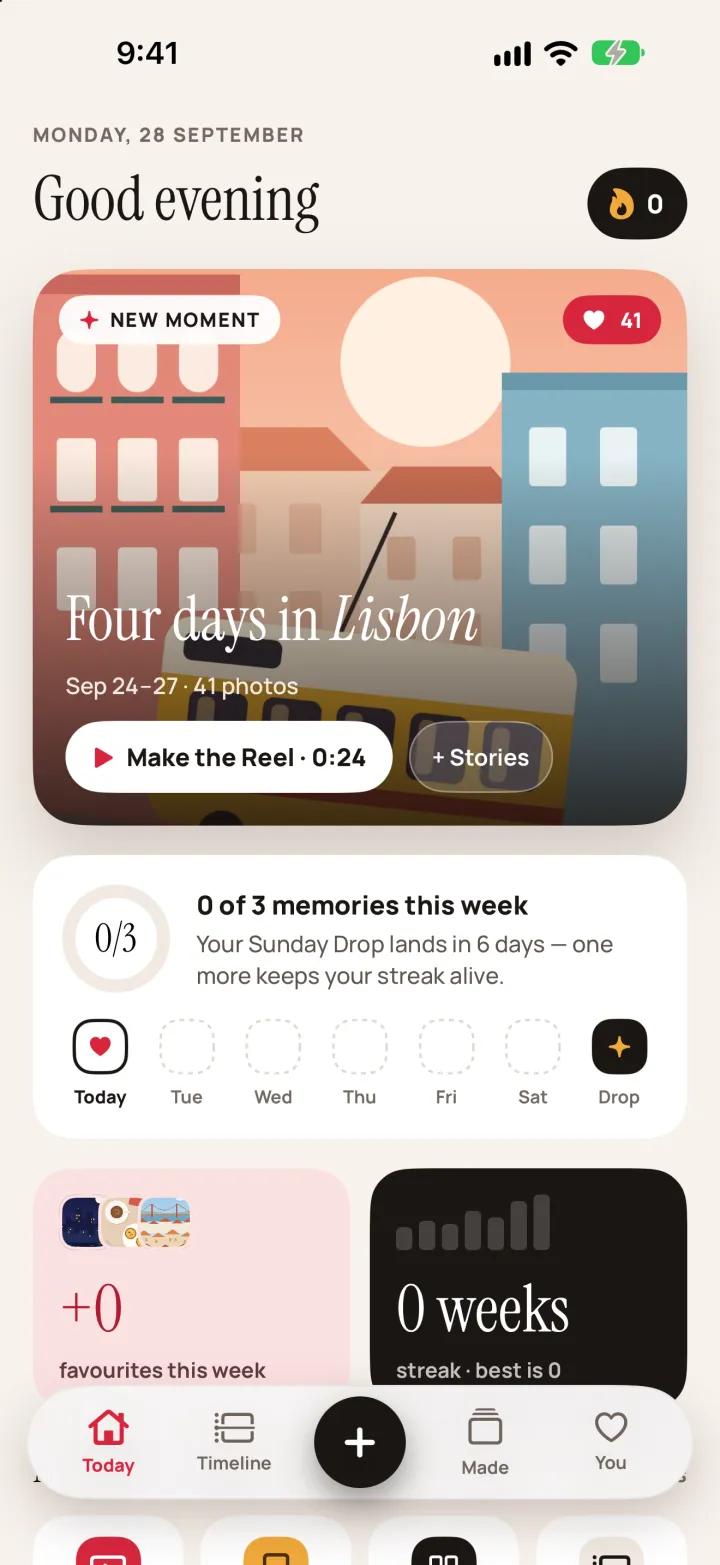
Today screen: a new Moment card, “Four days in Lisbon”, with a Make the Reel button, the weekly goal at 0 of 3 and a streak tile 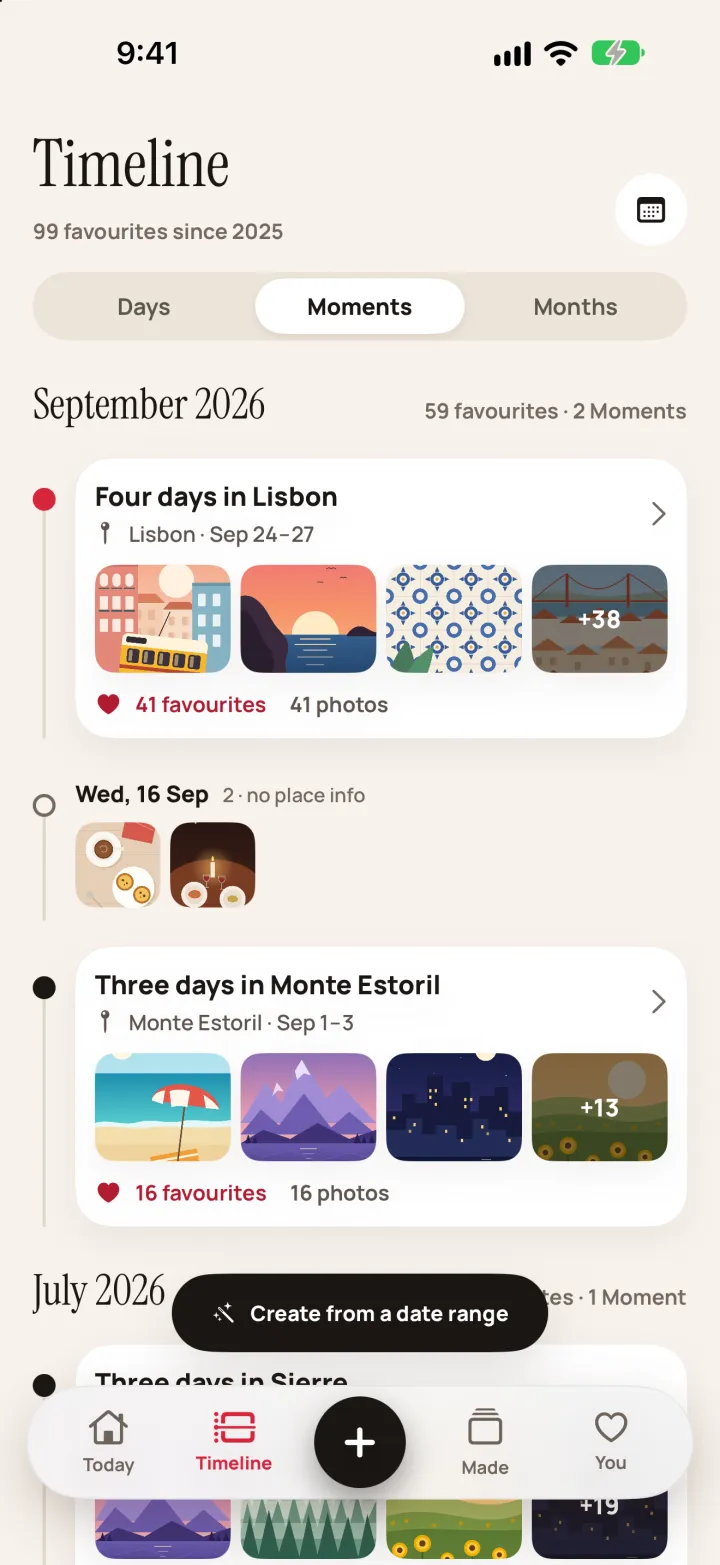
Timeline in Moments view: favourites grouped by month, each Moment with its place, dates and favourite count 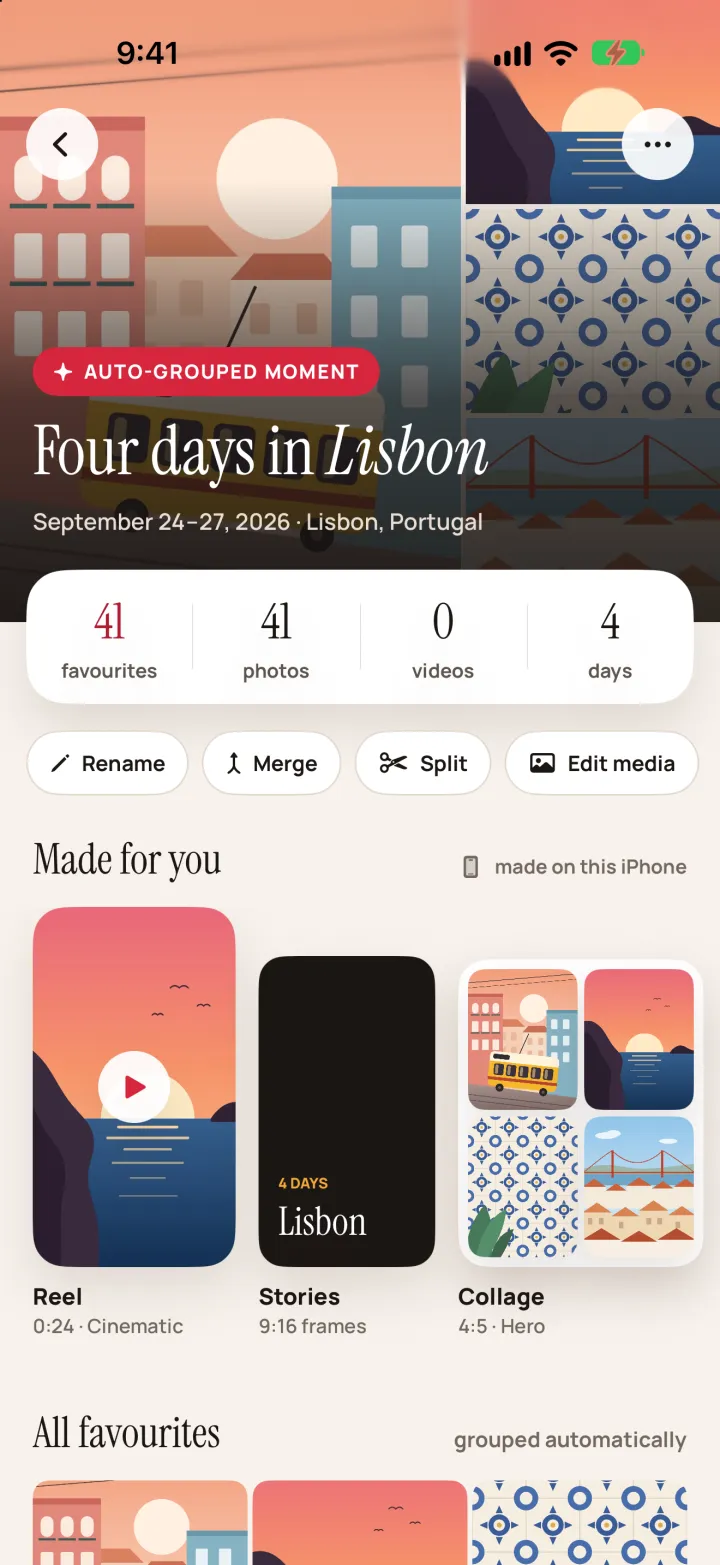
A Moment’s page: photo, video and day counts, Rename, Merge, Split and Edit media buttons, and the Reel, Stories and Collage made from it 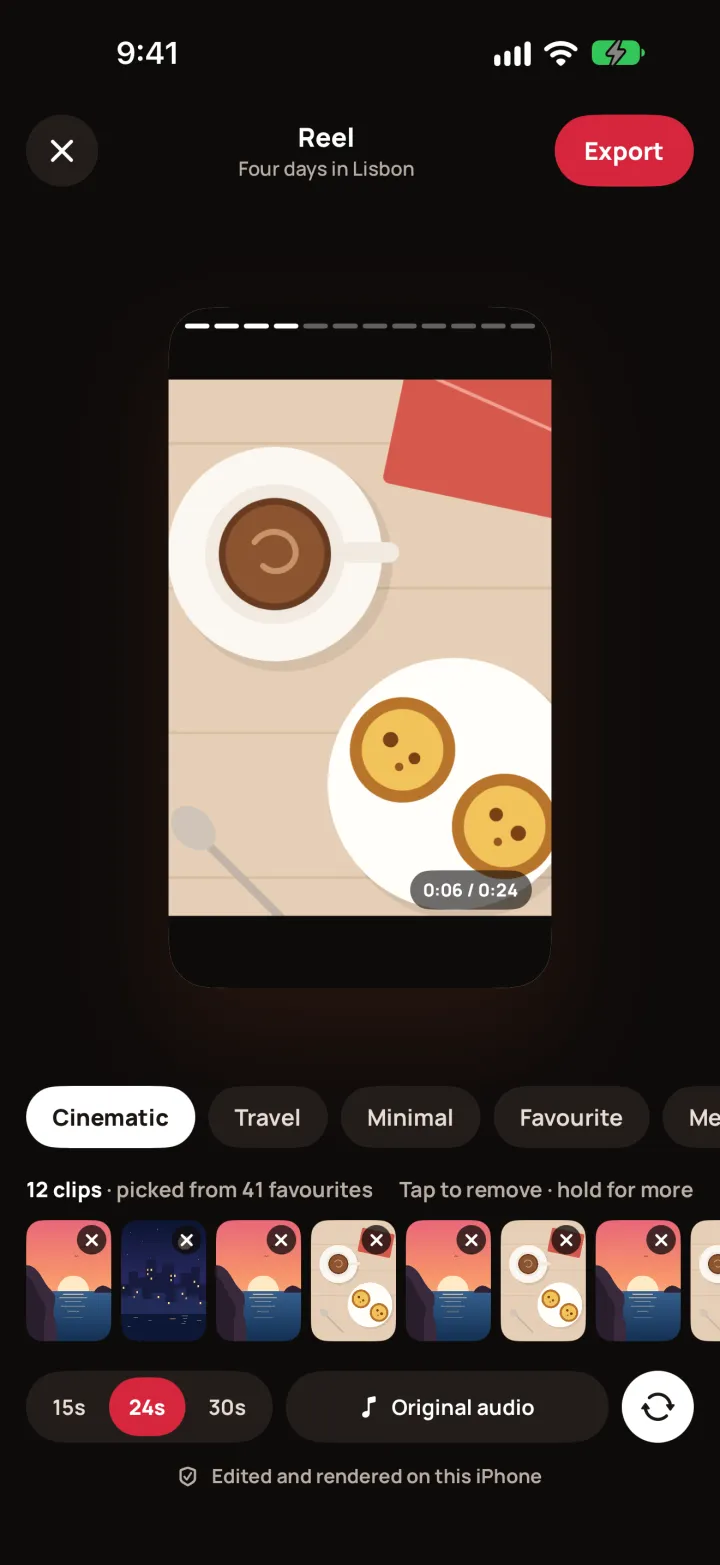
Reel editor: video preview, template chips, a strip of twelve clips, 15, 24 or 30 second lengths and the original-audio setting 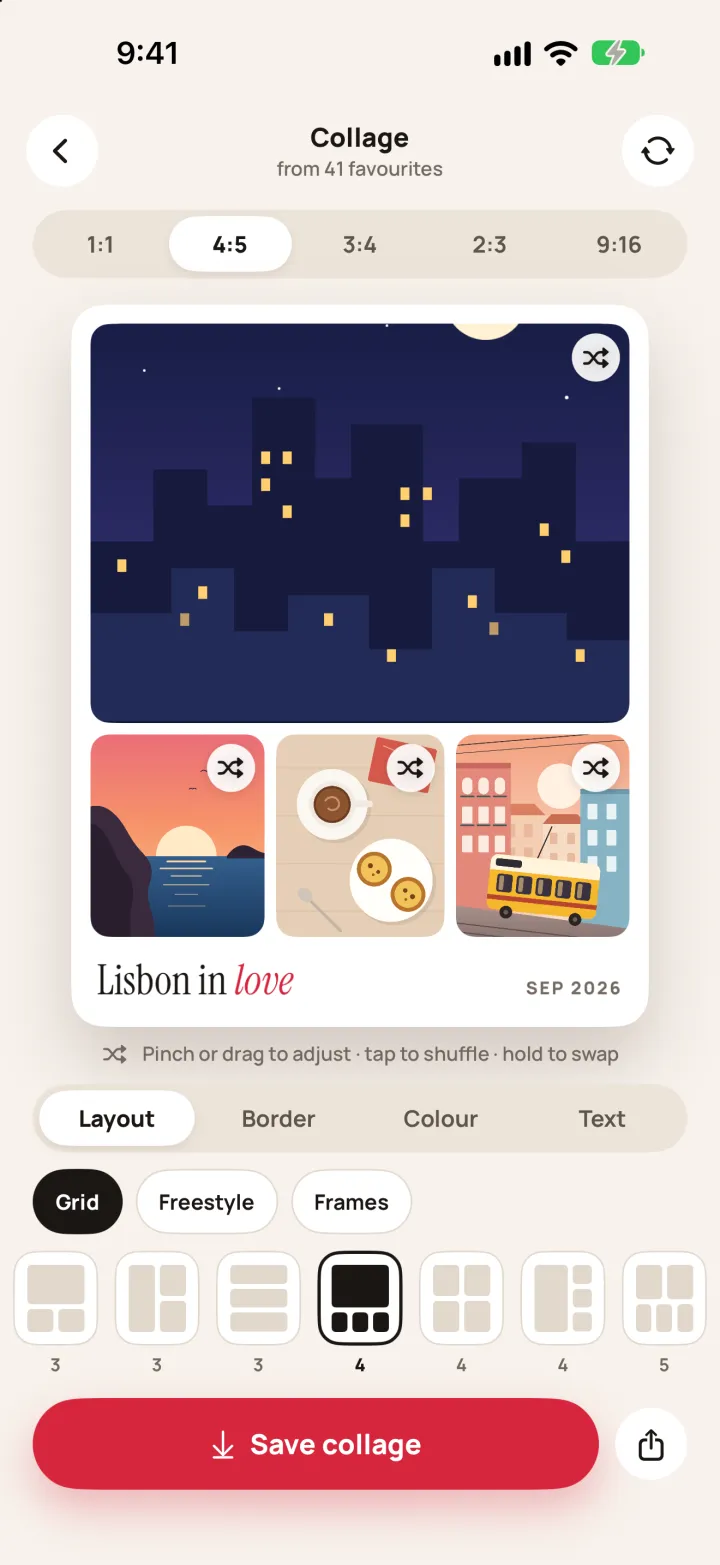
Collage editor: a four-photo 4:5 grid captioned “Lisbon in love”, with layout, border, colour and text tabs
Something like this? Send a brief